O3D-BRIDGE
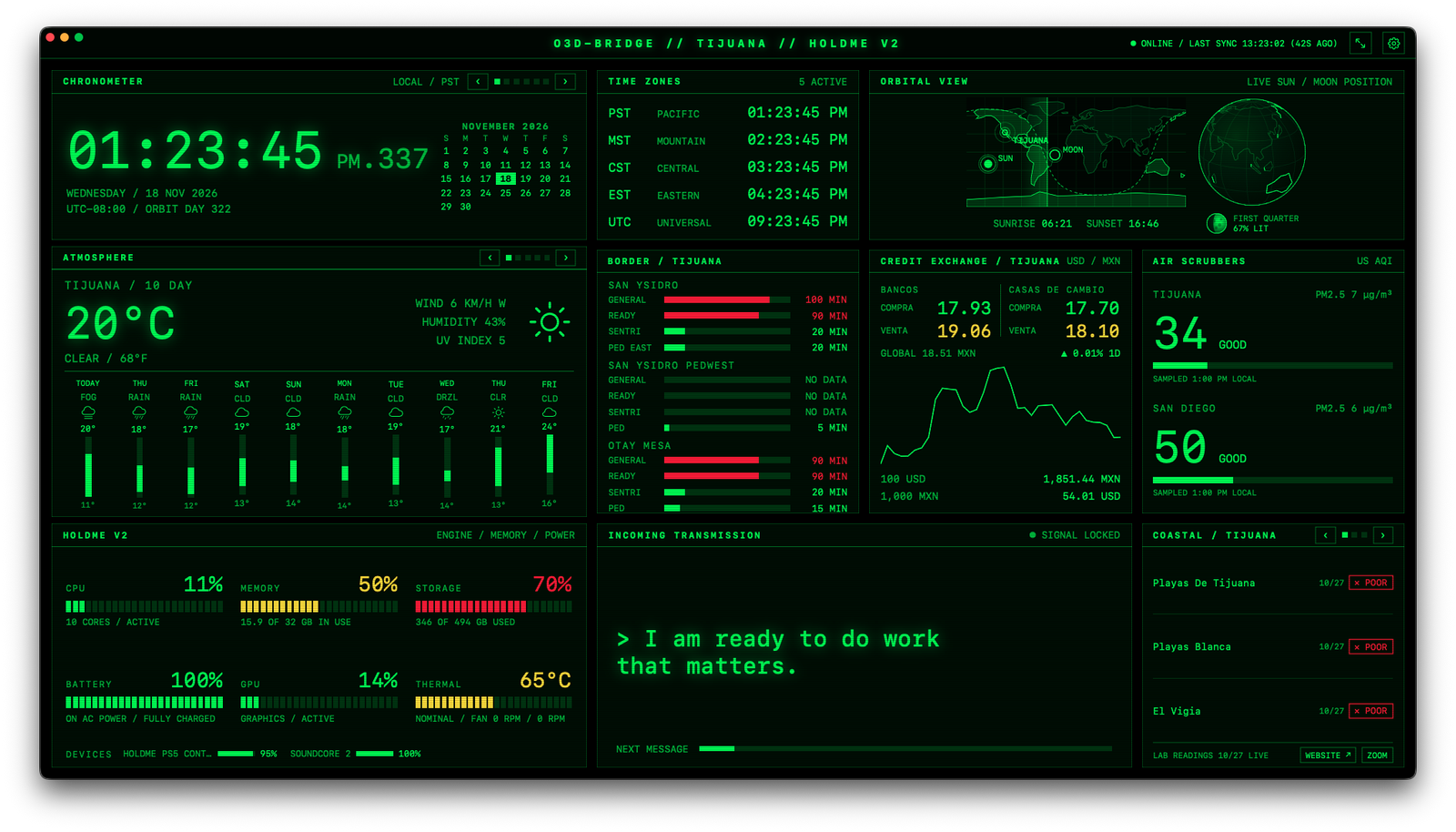
A retro sci-fi command console for your Mac. Matrix-green on black, always on in your menu bar, with everything you glance at in one screen.
Built mostly for people who live on the Mexico and US border, with live border waits, the Tijuana street dollar and beach water quality for Tijuana and San Diego. More borders are coming soon.
Version 1.03 · I update it regularly. Found a bug? Email me at alex@open3Dlaboratories.com.
FIRST LAUNCH ON MAC
Because this build isn't code-signed yet, macOS will block it on first launch. Cheeseburgers help fund the $99/yr Apple Developer fee to bring it to the App Store and iOS—until then, follow these quick steps once:
- Open the downloaded .dmg and drag O3D-BRIDGE into Applications.
- Open O3D-BRIDGE from Applications. A message will say it can't be opened. Click Done.
- Open System Settings, then Privacy & Security.
- Scroll down to Security. You'll see "O3D-BRIDGE was blocked". Click Open Anyway.
- Enter your password or use Touch ID, then click Open Anyway once more.
- Look for O3D-BRIDGE in your menu bar. Click the icon to show the window.
CLOCK + ZONES
Local time and your own list of world time zones.
ATMOSPHERE
Live weather and forecast for any city.
AIR QUALITY
AQI with pollutant breakdown, color coded.
EXCHANGE
Currency rates, including the Tijuana street dollar.
BORDER WAIT
Live CBP wait times for Southwest crossings.
COASTAL
Tijuana and San Diego beach water quality with County closures and advisories.
SYSTEM
CPU, GPU, memory, storage, battery, temperature and fans.
AFFIRMATIONS
888 of them, one at a time.
6 THEMES
Matrix green, amber, cyan and more. Full screen on any display.